The Apple Watch is one of the most capable smartwatches on the market, offering everything from fitness tracking and health monitoring to mobile payments and emergency safety features. It’s also built to handle everyday exposure to water, making it a popular companion for swimmers, surfers, runners, and outdoor enthusiasts.
However, many Apple Watch owners don’t fully understand one of its most useful features—Water Lock.
If you’ve ever noticed your Apple Watch displaying a water droplet icon after a swim or wondered why it plays a series of sounds when unlocking, you’re not alone.
This guide explains exactly how Apple Watch Water Lock works, when you should use it, which models support it, and why it’s an important feature for protecting your smartwatch.
What Is Apple Watch Water Lock?
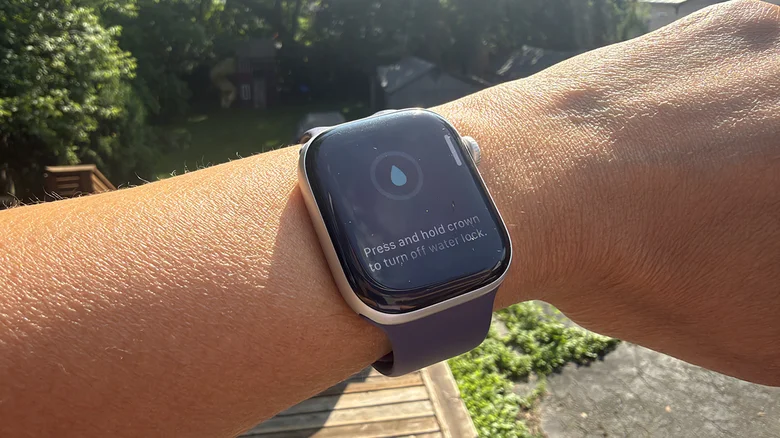
Water Lock is a built-in watchOS feature that helps protect your Apple Watch whenever it comes into contact with water.
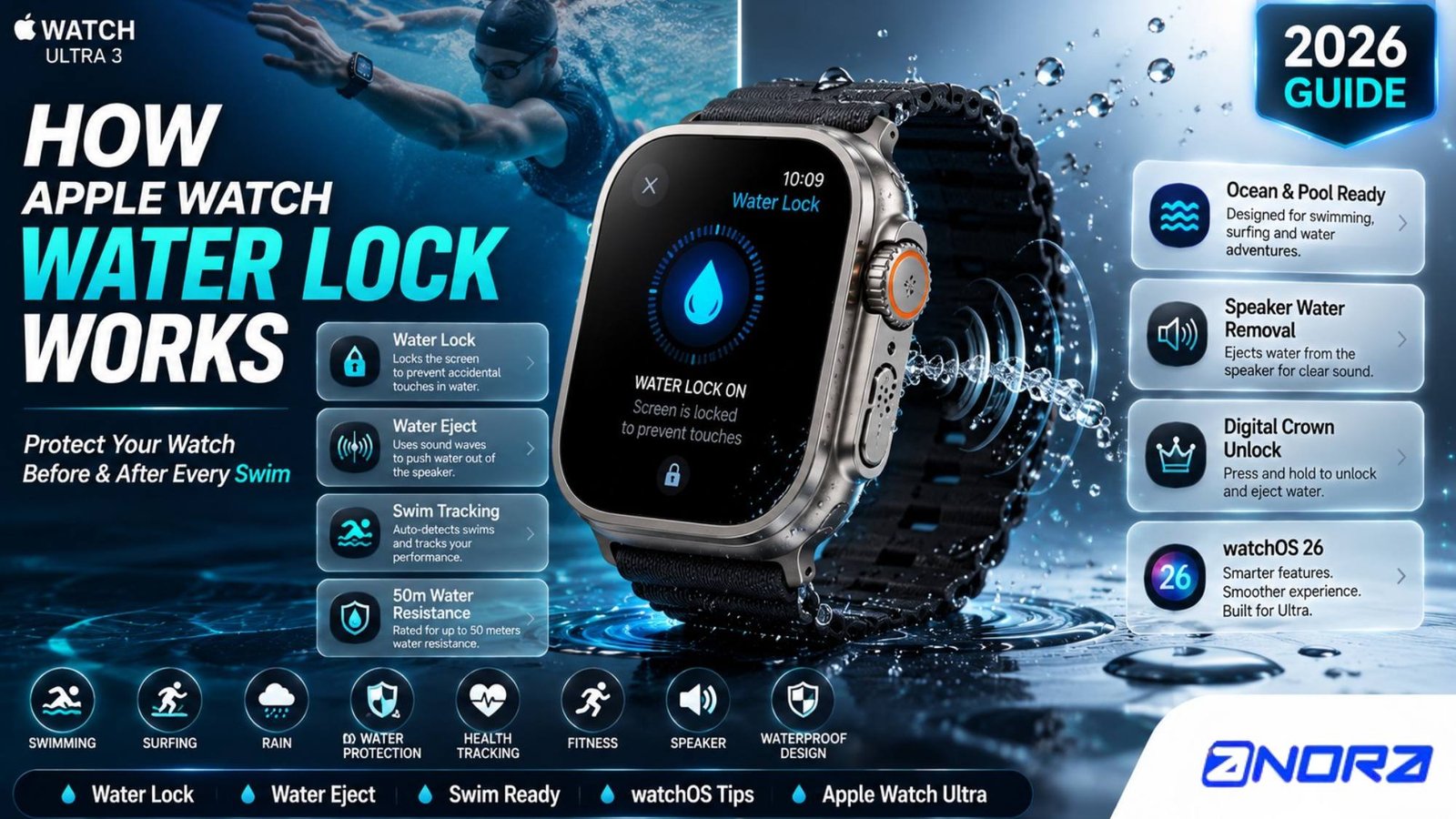
Unlike a waterproof case or physical seal, Water Lock doesn’t make your Apple Watch more water-resistant. Instead, it performs two important functions:
- It temporarily disables the touchscreen to prevent accidental taps caused by water.
- It activates a water ejection process that helps remove moisture from the speaker after you’ve finished swimming or getting your watch wet.
Together, these features improve usability and help keep your Apple Watch performing at its best.
How Does Apple Watch Water Lock Actually Work?
The technology behind Water Lock is surprisingly clever.
When Water Lock is enabled, the touchscreen becomes temporarily unresponsive. This prevents water droplets from acting like finger touches, which could accidentally open apps, pause workouts, or trigger unwanted actions while you’re swimming.
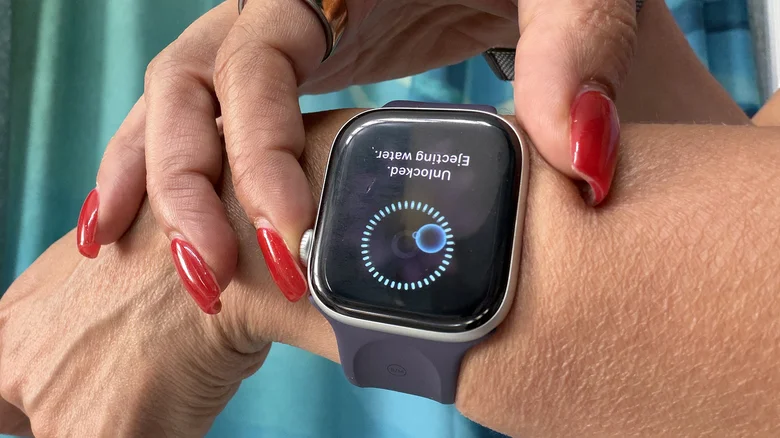
Once you’re finished, unlocking the watch starts an automatic water ejection process.
After you press and hold the Digital Crown, the Apple Watch plays a sequence of specially engineered sound frequencies through its speaker.
These sound vibrations create enough air pressure to force trapped water out of the speaker grille.
You may even notice tiny droplets of water being pushed out during the process.
The cycle repeats several times to help remove as much moisture as possible before normal operation resumes.
Why Does the Apple Watch Play Sounds When Unlocking?
Many first-time users think something is wrong when the watch starts making unusual beeping sounds.
In reality, those sounds are carefully designed to eject water from the speaker chamber.
Because the Apple Watch speaker contains small openings, water can become trapped after swimming or showering.
The speaker vibrations act like tiny pumps, pushing water outward through the speaker ports until they’re mostly dry.
It’s a simple yet highly effective engineering solution.
When Should You Use Water Lock?
Water Lock is useful anytime your Apple Watch is likely to become wet.
Common situations include:
- Swimming in a pool
- Swimming in the ocean
- Surfing
- Paddleboarding
- Kayaking
- Showering
- Washing dishes
- Heavy rain
- Water parks
- Outdoor workouts during storms
Even if your watch isn’t completely submerged, enabling Water Lock provides additional protection by preventing accidental screen touches and helping remove water afterward.
Does Water Lock Turn On Automatically?
Yes—but only during certain activities.
If you start a swimming workout using the Workout app, Water Lock activates automatically.
Once your workout ends, you’ll simply press and hold the Digital Crown to unlock the watch and begin the water ejection process.
For other situations, such as showering or getting caught in the rain, you’ll need to enable Water Lock manually.
How to Turn On Water Lock
Enabling Water Lock only takes a few seconds.
- Press the Side Button to open Control Center.
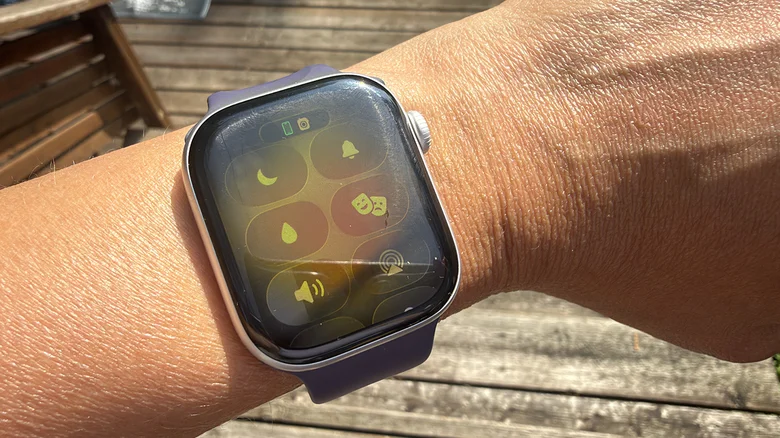
- Scroll until you find the Water Lock icon (water droplet).
- Tap the icon.
The touchscreen will immediately lock.
You can continue wearing your watch normally until you’re ready to unlock it.
How to Turn Off Water Lock
After leaving the water:
- Press and hold the Digital Crown.
- Continue holding until the unlocking animation appears.
- Wait while the Apple Watch ejects water through the speaker.
Once complete, the watch automatically returns to normal operation.
Which Apple Watch Models Support Water Lock?
Water Lock is available on:
- Apple Watch Series 6
- Apple Watch Series 8
- Apple Watch Series 9
- Apple Watch Series 10
- Apple Watch Series 11
- Apple Watch SE (all generations)
- Apple Watch Ultra
- Apple Watch Ultra 2
- Apple Watch Ultra 3
If your Apple Watch supports swimming workouts, it also supports Water Lock.
Is Apple Watch Waterproof?
This is one of the biggest misconceptions.
Apple Watch is water-resistant, not completely waterproof.
Water resistance means the watch is designed to withstand exposure to water under specific conditions.
However, water resistance can decrease over time due to:
- Everyday wear
- Physical impacts
- Exposure to soap
- Saltwater
- Chlorine
- High-pressure water
- Aging seals
That’s why Apple recommends rinsing your watch with clean water after swimming in saltwater or chlorinated pools.
Can You Shower With an Apple Watch?
Technically, yes.
Most recent Apple Watch models can safely handle showering.
However, frequent exposure to:
- Soap
- Shampoo
- Conditioner
- Body wash
- Perfumes
may gradually reduce water-resistant seals.
For that reason, many users choose to remove their watch before showering whenever possible.
Can You Swim With Every Apple Watch?
Not every model.
Apple Watch Series 1 and the original Apple Watch are only splash resistant.
Swimming is recommended only on:
- Apple Watch Series 2 and newer
- Apple Watch SE
- Apple Watch Ultra models
If you’re planning activities like scuba diving or high-speed water sports, Apple recommends using an Apple Watch Ultra model, which is specifically designed for more demanding aquatic environments.
Does Water Lock Make the Apple Watch Waterproof?
No.
This is perhaps the most important thing to understand.
Water Lock does not increase your Apple Watch’s water resistance.
Instead, it simply prevents accidental screen input while helping eject trapped water afterward.
The physical water resistance comes from the watch’s hardware design—not Water Lock itself.
Tips to Protect Your Apple Watch Around Water
To keep your Apple Watch in excellent condition:
- Always activate Water Lock before swimming manually if needed.
- Rinse your watch after exposure to saltwater.
- Avoid exposing it to high-pressure water.
- Dry it with a soft microfiber cloth.
- Avoid extreme temperatures immediately after swimming.
- Keep software updated for the latest watchOS improvements.
These habits can help preserve both performance and long-term durability.
Final Thoughts
Water Lock is one of those Apple Watch features that quietly works in the background but delivers real benefits every time your smartwatch gets wet.
By disabling the touchscreen and using specially tuned sound waves to push water out of the speaker, it helps protect your watch while keeping it functioning properly after swimming, exercising, or spending time outdoors.
Although it doesn’t make your Apple Watch waterproof, Water Lock adds an extra layer of convenience and protection that every compatible Apple Watch owner should know how to use.
Whether you’re taking laps in the pool, hiking through the rain, or relaxing at the beach, enabling Water Lock is a simple habit that can help keep your Apple Watch performing at its best for years to come.