Black Friday is one of the best opportunities to shop for laptops at potentially lower prices. However, finding a good laptop deal involves more than looking for a large discount. You need a laptop that offers the right performance, storage, battery life and features for your needs.
In Nigeria, laptop prices can vary considerably depending on the brand, processor, specifications, condition and seller. Some retailers may offer discounts on selected models, while others may promote older laptops at prices that are not particularly attractive.
So, before you spend your money, it is important to understand what makes a laptop worth buying.
Whether you need a laptop for school, business, programming, content creation or gaming, this guide explains the best laptop deals to look for during Black Friday in Nigeria in 2026.
Why Buy a Laptop During Black Friday in Nigeria?
Black Friday gives shoppers an opportunity to compare laptop prices and take advantage of selected promotions. Retailers may reduce prices on older models, offer discounts on current devices or include accessories in promotional bundles.
This can make it a good time to upgrade your computer or purchase your first laptop.
However, do not assume that every advertised deal represents real savings. Some discounts apply to older models, while other offers may have limited stock or specific conditions.
Before buying, compare the advertised price with the laptop’s previous selling price and the prices offered by other reputable retailers.
You should also confirm the laptop’s exact specifications. Two laptops with similar names can have different processors, RAM capacities, storage sizes and display features.
1. Best Laptop Deals for Students
Students need laptops that can handle research, online classes, assignments, presentations and everyday productivity.
A good student laptop should be portable, reliable and powerful enough to run common applications without slowing down.
Look for these specifications:
- Processor: Intel Core i3, Core 5, Core i5 or a comparable AMD Ryzen processor.
- RAM: 8GB as a practical starting point; 16GB is better for multitasking and demanding courses.
- Storage: At least 256GB SSD, with 512GB offering more room for files and applications.
- Display: A Full HD screen for comfortable reading and video playback.
- Battery: A laptop that can comfortably support several hours of normal use.
Students studying engineering, architecture, computer science, video production or graphic design may need stronger specifications. Some specialised applications require more memory, processing power or a dedicated graphics card.
If you are buying for general schoolwork, avoid paying extra for gaming features you will rarely use.
2. Best Business Laptop Deals
Business users need laptops that support productivity, communication and dependable daily performance.
A good business laptop should handle spreadsheets, presentations, email, video meetings, browser tabs and business applications smoothly.
Consider these features when comparing Black Friday laptop deals:
- Intel Core 5, Core i5, Core 7 or AMD Ryzen 5 and Ryzen 7 processors.
- 16GB RAM for comfortable multitasking.
- 512GB SSD for applications and business files.
- A comfortable keyboard and responsive touchpad.
- A good-quality webcam and microphone.
- Reliable Wi-Fi and useful connectivity options.
- A durable design that can handle regular travel.
Business laptop families such as Dell Latitude, HP EliteBook and Lenovo ThinkPad are worth comparing. However, the model number and exact configuration matter more than the brand name alone.
For example, an older business laptop with 8GB RAM may cost less than a newer model with 16GB RAM. Compare their processors, battery condition, storage and upgrade options before deciding.
3. Best MacBook Deals to Look For
MacBooks are popular among professionals, students, developers and content creators. They offer a polished operating system, strong performance and integration with other Apple devices.
During Black Friday, look out for discounts on MacBook Air and MacBook Pro models.
MacBook Air
The MacBook Air is a good option for students, business users, writers, developers and people who need a portable everyday laptop.
Look for:
- Apple M-series chip.
- 16GB unified memory where your budget allows.
- 256GB or 512GB SSD storage.
- A screen size that suits your working style.
- Good battery health if buying a pre-owned model.
MacBook Pro
The MacBook Pro is designed for users who need more sustained performance and advanced features.
It is worth considering for:
- Professional video editing.
- Software development.
- Music production.
- Graphic design.
- 3D workflows and demanding creative applications.
Compare the chip, memory and storage carefully. A MacBook Pro is not automatically the better purchase for every user. If your work involves browsing, documents, online meetings and light editing, a MacBook Air may offer better value.
You can explore available options in the Anora Express laptop collection.
4. Best Gaming Laptop Deals
Gaming laptops are designed for demanding graphics and processing workloads. They can also be useful for video editing, 3D design and other creative tasks.
However, gaming laptops usually cost more than standard productivity laptops. They may also be heavier and have shorter battery life during intensive use.
When shopping for gaming laptop deals, prioritise:
- Processor: Intel Core i5 or Core i7 H-series, or a comparable AMD Ryzen processor.
- RAM: 16GB as a practical starting point; 32GB can help with demanding workloads.
- Graphics: A dedicated NVIDIA GeForce RTX or suitable AMD Radeon GPU.
- Storage: 512GB SSD or higher.
- Display: Full HD or higher resolution with a high refresh rate.
- Cooling: A capable cooling system that can manage sustained gaming sessions.
Popular gaming laptop families include ASUS ROG, ASUS TUF, Acer Predator, Dell Alienware, Lenovo Legion and HP gaming models.
Do not compare gaming laptops based on processor names alone. The graphics card, power limits, cooling system and display can make a major difference to the actual experience.
5. Check the Processor Before Buying
The processor affects how quickly a laptop handles applications, multitasking and demanding workloads.
You may see Intel Core i3, i5 and i7 processors, newer Intel Core and Core Ultra models, as well as AMD Ryzen 3, Ryzen 5, Ryzen 7 and Ryzen 9 processors.
For many everyday users, a recent midrange processor offers a sensible balance between performance and price.
When comparing Intel laptops, pay attention to the exact processor number and suffix. For example, U-series chips generally prioritise power efficiency, while H-series chips are designed for higher-performance laptop workloads.
Also, do not assume that every Core i7 laptop is faster than every Core i5 laptop. Processor generation, architecture and power limits all matter.
Intel provides an official guide to its processor naming system that can help you understand the differences.
6. Choose the Right RAM Capacity
RAM determines how much information your laptop can keep readily available while applications are running.
More RAM can improve multitasking, especially when you work with several applications at once.
Here is a practical guide:
| RAM | Best for |
|---|---|
| 4GB | Very basic tasks; generally not recommended for a new everyday laptop |
| 8GB | Documents, browsing, online classes and light productivity |
| 16GB | Multitasking, programming, business applications and moderate creative work |
| 32GB | Heavy editing, development environments, virtual machines and demanding workloads |
| 64GB or more | Professional workloads that require substantial memory |
For most people buying a laptop in 2026, 16GB RAM is a sensible target if the budget allows.
Before choosing a laptop with upgradeable memory, confirm whether its RAM is replaceable or soldered to the motherboard.
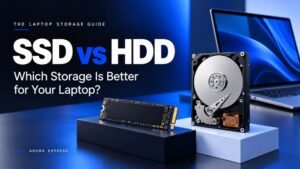
7. Prioritise SSD Storage
Storage affects how much data your laptop can hold and how quickly it loads files and applications.
An SSD is generally preferable to an older mechanical hard drive because it offers faster access to data and helps the computer start up and load applications more quickly.
Consider these storage capacities:
- 256GB SSD: Suitable for basic users who store most files online or externally.
- 512GB SSD: A practical choice for students, professionals and everyday users.
- 1TB SSD: Better for large files, creative projects, games and extensive software libraries.
- 2TB SSD: Useful for users who regularly work with large video files and other demanding storage needs.
If you are comparing two laptops at similar prices, a model with a larger SSD may offer better long-term value.
Also check whether the laptop supports storage upgrades before purchasing.
8. Do Not Ignore Display Quality
Your laptop screen affects almost everything you do, from reading documents to editing videos.
A low-quality display can make long working sessions uncomfortable. Therefore, look beyond screen size when comparing laptop deals.
Here are some features worth checking:
- Resolution: Full HD (1920 × 1080) is a good starting point for most users.
- Panel type: IPS panels often provide better viewing angles than basic TN displays.
- Brightness: A brighter screen is easier to use in well-lit environments.
- Colour accuracy: Important for photography, video editing and graphic design.
- Refresh rate: Higher refresh rates can provide smoother motion, particularly for gaming.
OLED displays can offer deep blacks and rich contrast. However, they may increase the laptop’s price. Decide whether the improvement is worth the extra cost for your needs.
9. Check Battery Life and Build Quality
A laptop may have impressive specifications but still be inconvenient if its battery does not last or its build quality is poor.
This is especially important for students, remote workers and professionals who travel regularly.
Before purchasing, check:
- The manufacturer’s advertised battery capacity and estimated runtime.
- Independent reviews where available.
- The physical condition of the battery if the laptop is pre-owned.
- Hinge strength and keyboard condition.
- Port selection and charging options.
- Weight and portability.
Remember that advertised battery life is not a guarantee of real-world performance. Heavy applications, screen brightness and network activity can reduce runtime.
10. New vs Pre-Owned Laptops: Which Should You Buy?
Black Friday may present opportunities to buy both brand-new and pre-owned laptops. The right choice depends on your budget and expectations.
Brand-new laptops
A brand-new laptop is worth considering if you want:
- A fresh battery and unused components.
- Manufacturer warranty coverage, subject to the seller and region.
- A newer processor platform.
- Better confidence in the device’s condition.
Pre-owned laptops
A pre-owned laptop may offer stronger specifications at a lower price. Business-class models can be particularly attractive.
However, inspect the device carefully. Check the battery health, keyboard, screen, ports, webcam, speakers and storage condition.
Also confirm whether the laptop has been repaired, whether its components are original and what warranty the seller provides.
Do not assume that a laptop described as refurbished, renewed or pre-owned is equivalent to a brand-new device.
11. How to Identify a Genuine Black Friday Laptop Deal
A large discount does not always mean a good purchase. Use these checks before paying:
- Compare prices: Check the same model and configuration across reputable retailers.
- Verify the specifications: Confirm the processor, RAM, SSD capacity, screen and graphics.
- Check the laptop’s condition: Confirm whether it is brand-new, open-box, refurbished or pre-owned.
- Ask about warranty: Understand the duration and what it covers.
- Confirm availability: Make sure the advertised model is actually in stock.
- Check the return policy: Understand what happens if the laptop arrives faulty or differs from its description.
- Review the seller: Buy from a retailer that provides clear product information and customer support.
Pay particular attention to the exact model number. A laptop listing may use a familiar product name while offering a different configuration from the one shown in an advertisement.
12. Where to Find Laptop Deals in Nigeria
When shopping for a laptop during Black Friday, compare offers from reputable Nigerian electronics retailers.
You can browse the Anora Express laptop collection to explore available laptops across different categories.
The collection includes options from brands such as Apple, Dell, ASUS and other manufacturers. Compare the specifications and current listed prices before making a decision.
If you are unsure which model is suitable, consider your budget and the applications you plan to use. Choosing the right configuration is more important than simply buying the laptop with the biggest advertised discount.
Frequently Asked Questions
When is Black Friday in Nigeria in 2026?
Which laptop is best to buy during Black Friday?
Is 8GB RAM enough for a laptop in 2026?
Should I buy a MacBook or Windows laptop?
Are gaming laptops worth buying during Black Friday?
Is a pre-owned laptop worth buying?
Final Thoughts: Choose Value, Not Just the Biggest Discount
Black Friday can be a good opportunity to find a laptop that fits your budget. However, the best deal is not necessarily the laptop with the largest discount.
Focus on the specifications that matter to your daily work. Compare processors, RAM, SSD storage, display quality, battery life and warranty coverage. Also confirm the laptop’s condition and exact model number before paying.
Whether you need a laptop for school, business, programming, creative work or gaming, take time to compare your options.
Explore the Anora Express laptop collection to find a laptop that matches your needs and budget.