
Choosing the best laptop for students in Nigeria in 2027 is an important decision. Whether you are preparing for university, studying computer science, managing assignments, attending online classes or learning new digital skills, having the right laptop can make your academic journey much easier.
However, with so many laptop brands, specifications and prices available, choosing the right one can be confusing.
Should you buy an HP, Dell, Lenovo, ASUS or MacBook? Is 8GB RAM enough? Do you need an Intel Core i5 processor? How much storage should a student laptop have? And is it worth spending more on a premium laptop?
The truth is that you do not need the most expensive laptop to succeed academically. You need a reliable computer that matches your course requirements, budget and everyday activities.
For most students, a laptop with a modern processor, 16GB RAM, a 512GB SSD, a comfortable keyboard and dependable battery life is an excellent starting point.
In this guide, we explore the best laptops for students in Nigeria in 2027, compare recommended models available from Anora Express, explain the specifications to look for and help you choose a laptop that offers the best value for your money.
Whether you are a university student, undergraduate, postgraduate, engineering student, programmer or content creator, this guide will help you make an informed decision.
Quick Picks: Best Laptops for Students in Nigeria in 2027
If you want a quick recommendation, here are some laptop options worth considering.
| Laptop | Best For | Key Configuration |
|---|---|---|
| Dell Inspiron 3520 | Everyday student use | Core i3, 8GB RAM, 256GB SSD |
| HP EliteBook 845 G8 | Multitasking and university work | Ryzen 7 Pro, 16GB RAM, 512GB SSD |
| Dell Inspiron 14 Plus 7420 | Programming and productivity | Core i7, 16GB RAM, 512GB SSD |
| MacBook Air 15-inch M4 | Premium student experience | M4, 16GB memory, 256GB SSD |
These laptops serve different needs and budgets. The best option depends on your course, software requirements and available budget.
You can explore more options in the Anora Express Laptop Computers collection.
What Should Students Look for When Buying a Laptop in Nigeria?

Before choosing a laptop, understand the specifications that actually matter.
A laptop that works perfectly for a business student may struggle with the demands of an architecture or engineering student.
Therefore, consider the following factors before making your purchase.
1. Processor: Intel Core, AMD Ryzen or Apple Silicon?
The processor determines how efficiently your laptop handles applications and performs different computing tasks.
For students, choosing a reasonably modern processor is important because you will probably use several applications throughout the day.
Common processor options include:
- Intel Core i3: Suitable for basic computing, browsing and office productivity.
- Intel Core i5: A good balance for students who need more performance and multitasking.
- Intel Core i7: Suitable for demanding applications, programming and heavier workloads.
- AMD Ryzen 3: Suitable for everyday student activities.
- AMD Ryzen 5: A strong option for multitasking and productivity.
- AMD Ryzen 7: Suitable for more demanding workloads.
- Apple M-series: Efficient processors found in MacBook Air and MacBook Pro models.
Do not choose a laptop based on the processor name alone.
Processor generation, architecture, power limits and cooling also affect performance. A newer mid-range processor can outperform an older high-end processor in some workloads.
Our recommendation: Consider a recent Intel Core 5/Core i5 or AMD Ryzen 5-class processor for a balanced student laptop. For demanding courses, consider a stronger processor.
2. RAM: How Much Memory Do You Need?
RAM allows your laptop to run applications and handle multiple tasks simultaneously.
For students, the amount of RAM you choose can significantly affect your experience.
Here is a simple guide:
| RAM | Recommended Use |
|---|---|
| 4GB | Very basic computing; avoid for most new purchases |
| 8GB | Browsing, assignments and basic office work |
| 16GB | Recommended for most students |
| 32GB | Programming, engineering, gaming and creative workloads |
If you regularly use Chrome, Microsoft Word, Excel, PowerPoint and video conferencing applications simultaneously, 16GB RAM provides more breathing room.
Computer science students and those working with virtual machines, development environments and large projects should also consider 16GB or 32GB.
Before buying, check whether the RAM is upgradeable. Some laptops have memory permanently soldered to the motherboard.
For a more detailed explanation, read our guide on how much RAM you need in a laptop.
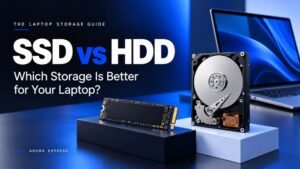
3. Storage: Choose an SSD
Storage determines how much information your laptop can keep, including applications, documents, photographs, videos and academic projects.
You will generally encounter two storage technologies:
- SSD (Solid State Drive)
- HDD (Hard Disk Drive)
An SSD is significantly faster than a traditional HDD. It helps your laptop start faster, load applications quickly and transfer files more efficiently.
For most students, these are practical storage recommendations:
- 256GB SSD: Suitable for basic academic activities.
- 512GB SSD: Recommended for most university students.
- 1TB SSD: Excellent for students working with large files, software and creative projects.
If your budget allows, choose a laptop with a 512GB SSD.
You can also consider an external SSD if you regularly work with large files.
4. Battery Life: Important for Nigerian Students
Battery life is particularly important for students who spend long hours on campus.
You may need to move between lecture halls, libraries, laboratories, hostels and study areas.
Not every location will have convenient access to electricity or charging points.
A laptop with dependable battery life allows you to continue working when you cannot connect to a power source.
Consider laptops with efficient processors and battery capacities suited to your workload.
However, remember that manufacturers’ advertised battery figures are not guaranteed real-world results. Screen brightness, background applications, Wi-Fi usage and workload all affect battery life.
For a student laptop, aim for a model that can comfortably handle several hours of normal academic work.
If possible, check independent battery tests for the exact configuration before buying.
5. Display Size and Quality
Your laptop display affects how comfortably you read, write assignments, research and work with applications.
Common laptop display sizes include:
- 13-inch: Excellent for portability.
- 14-inch: A good balance between portability and screen space.
- 15.6-inch: Suitable for students who prefer a larger display.
- 16-inch: Useful for multitasking and demanding productivity.
A Full HD display (1920 × 1080) is a sensible starting point for most students.
If you spend long hours reading documents, consider an IPS display with good viewing angles and an anti-glare finish.
6. Portability and Build Quality
Students frequently carry their laptops around campus.
Therefore, weight, thickness, hinge quality and general construction matter.
A lightweight laptop is easier to carry between lectures and study sessions.
Business laptops such as HP EliteBook and Dell Latitude models are worth considering because many are designed for regular professional use.
However, check the condition of used or refurbished devices carefully.
Pay particular attention to:
- Screen condition.
- Keyboard functionality.
- Hinge strength.
- Battery health.
- Charging port.
- Trackpad.
- Original charger.
- Warranty coverage.
A laptop that looks attractive but has a weak battery or damaged hinges can become an expensive problem.
Best Laptops for Students in Nigeria in 2027

Here are our recommended options from the Anora Express laptop collection.
The recommendations cover different academic needs, from everyday assignments to programming and premium productivity.
1. Dell Inspiron 3520 – Best for Everyday Student Use
Recommended for: Undergraduates, business students, humanities students and everyday academic activities.


Dell Inspiron 3520 12th Gen Intel Core™️ i3-1215U
- Dell Inspiron 3520 12th Gen
- Intel Core™️ i3-1215U 1.2GHz up to 4.4GHz
- 256GB M.2 PCIe NVMe SSD
- 8GB DDR4 RAM (1 x 8GB)
- 15.6″ FHD WVA Display (1920×1080)
- Intel®️ UHD Graphics | LED backlight
- Windows 11 | CARBON BLACK | 1 Year Warranty
The Dell Inspiron 3520 is a practical option for students who need a reliable laptop for everyday academic work.
It features a 12th-generation Intel Core i3-1215U processor, 8GB DDR4 RAM and a 256GB NVMe SSD.
Its 15.6-inch Full HD display provides enough screen space for reading documents, researching, writing assignments and working with spreadsheets.
Key specifications:
- Processor: Intel Core i3-1215U.
- RAM: 8GB DDR4.
- Storage: 256GB M.2 PCIe NVMe SSD.
- Display: 15.6-inch Full HD.
- Graphics: Intel UHD Graphics.
- Operating system: Windows 11.
- Warranty: Listed with a one-year warranty.
Why students should consider it
The Dell Inspiron 3520 handles everyday activities such as web browsing, Microsoft Office, online classes, research and document preparation.
Its SSD also provides faster everyday performance than a traditional hard drive.
However, 8GB RAM may become restrictive when running several demanding applications simultaneously. Check upgrade options if you expect to use the laptop for several years.
Our verdict: A sensible entry-level option for students who primarily need a laptop for assignments, browsing, online learning and office productivity.
2. HP EliteBook 845 G8 – Best for Multitasking and University Work
Recommended for: University students, business students, postgraduate students and professionals.


Hp EliteBook 845 G8 – Ryzen 7 Pro 4650U/AMD 2.3
Key Features
Processor Name AMD Ryzen™ 7 PRO 5650U (3.3 GHz base clock, up to 4.2 GHz max boost clock, 16 MB L3 cache, 6 cores)
- GRAPHICS AMD Radeon™ Graphics
- Memory (RAM) 16GB DDR4-3200 MHz RAM (2 x 8 GB)
- Hard drives 512GB PCIe® NVMe™ TLC SED SSD
The HP EliteBook 845 G8 is a business-class laptop that offers a stronger configuration for students who need more than basic computing.
It features an AMD Ryzen 7 PRO processor, 16GB RAM and a 512GB NVMe SSD.
Its 14-inch Full HD display also makes it a practical option for students who want a balance between portability and productivity.
Key specifications:
- Processor: AMD Ryzen 7 PRO 5650U, as listed in the detailed specifications.
- RAM: 16GB DDR4.
- Storage: 512GB PCIe NVMe SSD.
- Display: 14-inch Full HD IPS.
- Graphics: Integrated graphics.
- Weight: Approximately 1.35kg, according to the product listing.
- Operating system: Windows 11 Pro.
Why students should consider it
The 16GB RAM configuration provides more room for multitasking.
You can work with several browser tabs, Microsoft Office applications, online learning platforms and productivity tools without being restricted to basic computing.
Its compact design also makes it suitable for carrying around campus.
Another advantage is its listed memory upgradeability, which provides additional flexibility.
Our verdict: One of the more balanced options for students who want a portable laptop with a capable processor, 16GB RAM and fast storage.
3. Dell Inspiron 14 Plus 7420 – Best for Programming and Productivity
Recommended for: Computer science students, software developers, business students and multitaskers.


Dell Inspiron 14 Plus 7420 12th Gen Intel Core™️ i7
- Dell Inspiron 14 Plus 7420 12th Gen
- Intel Core™️ i7-12700H 2.3GHz up to 4.70GHz
- 512GB SSD | 16GB DDR5 RAM
- 14″ FHD (2240×1400) Display
- Intel Iris Xe Graphics
- WINDOWS 11 | BACKLIT KEYBOARD
- FingerPrint Reader | DARK GREEN
- 1 Year Warranty
If you need more processing power for academic projects and demanding applications, the Dell Inspiron 14 Plus 7420 is worth considering.
It features a 12th-generation Intel Core i7-12700H processor, 16GB DDR5 RAM and a 512GB SSD.
The 14-inch display also offers a higher resolution than standard Full HD, providing a comfortable workspace for productivity.
Key specifications:
- Processor: Intel Core i7-12700H.
- RAM: 16GB DDR5.
- Storage: 512GB SSD.
- Display: 14-inch, 2240 × 1400.
- Graphics: Intel Iris Xe.
- Operating system: Windows 11.
- Additional features: Backlit keyboard and fingerprint reader.
- Warranty: Listed with a one-year warranty.
Why students should consider it
The powerful processor and 16GB RAM make this laptop suitable for programming, multitasking, research and demanding productivity applications.
Computer science students can use it for coding, web development, database work and general software development.
However, students working with demanding 3D modelling, advanced engineering or GPU-intensive applications should consider a laptop with a suitable dedicated graphics card.
Our verdict: A strong Windows laptop for students who need more processing power and a capable multitasking configuration.
4. Apple MacBook Air 15-inch M4 – Best Premium Laptop for Students
Recommended for: Creative students, postgraduate students, business students and students who prefer macOS.

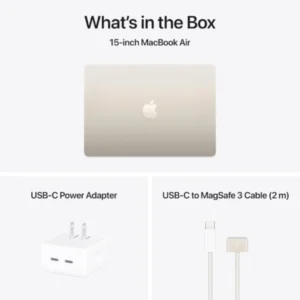
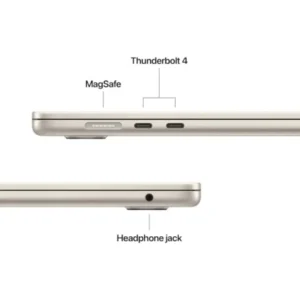
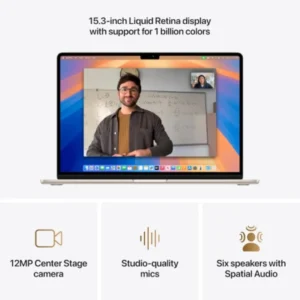
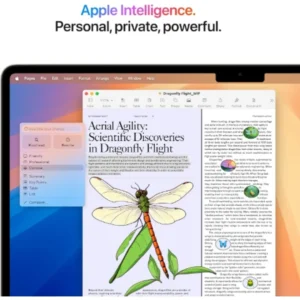

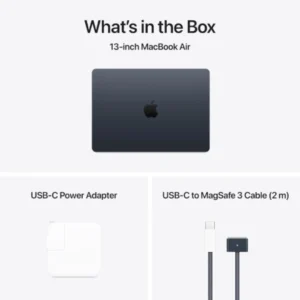
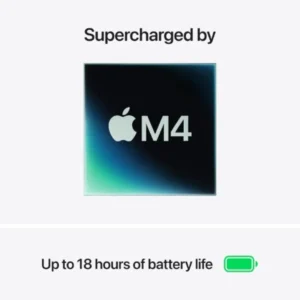

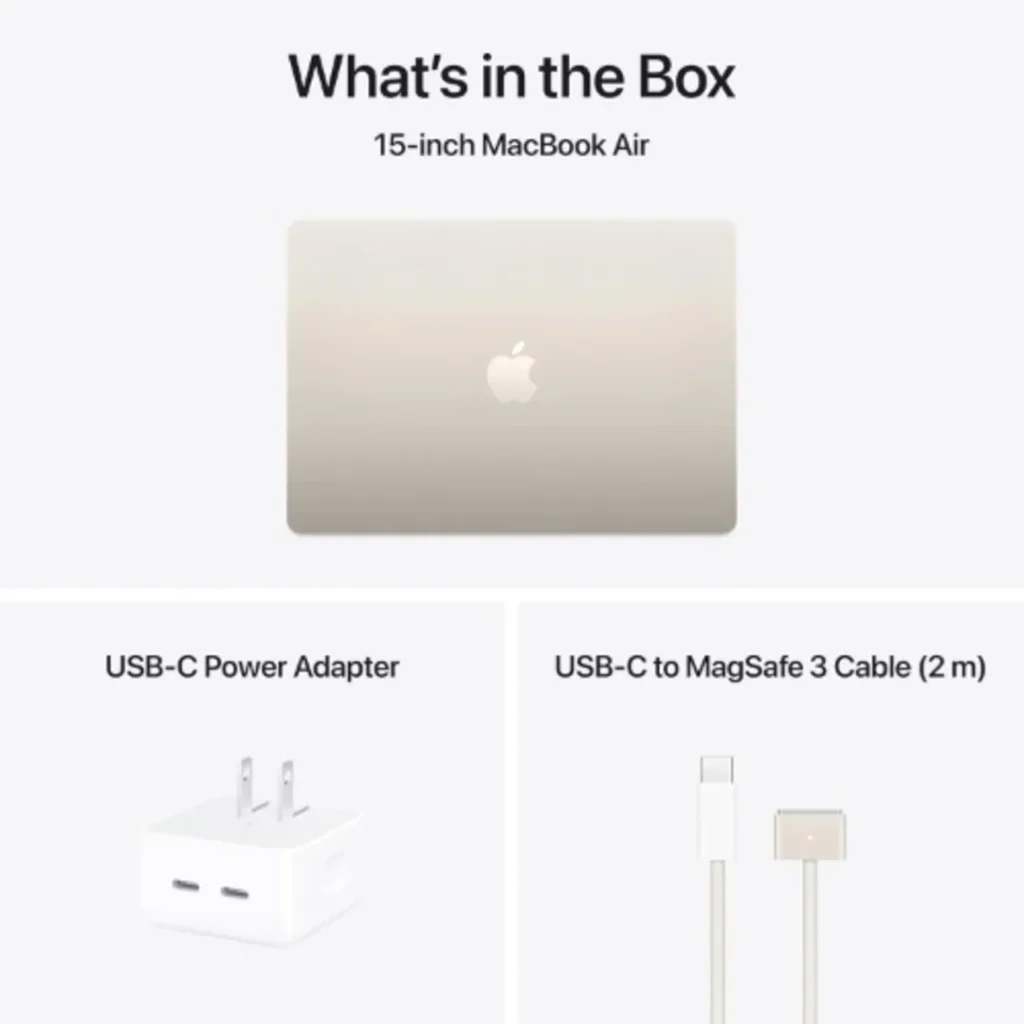
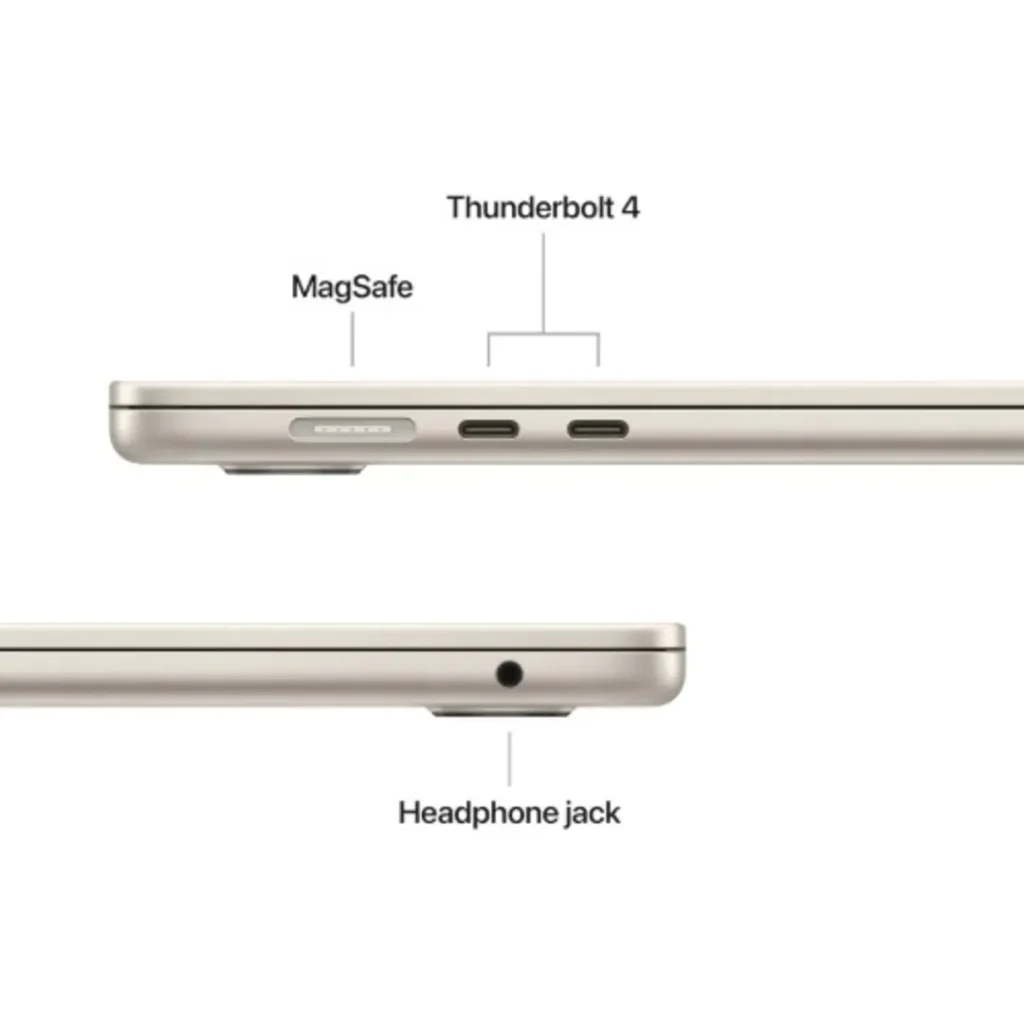
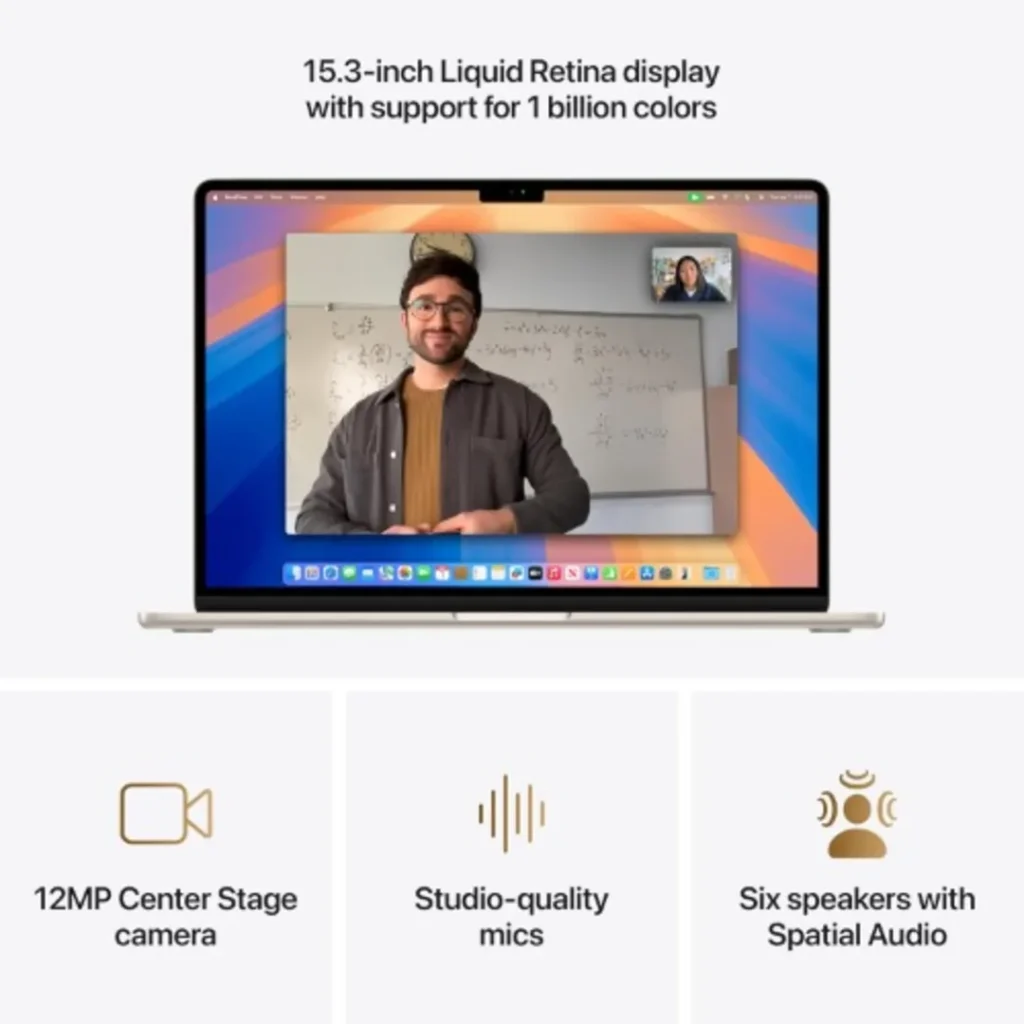
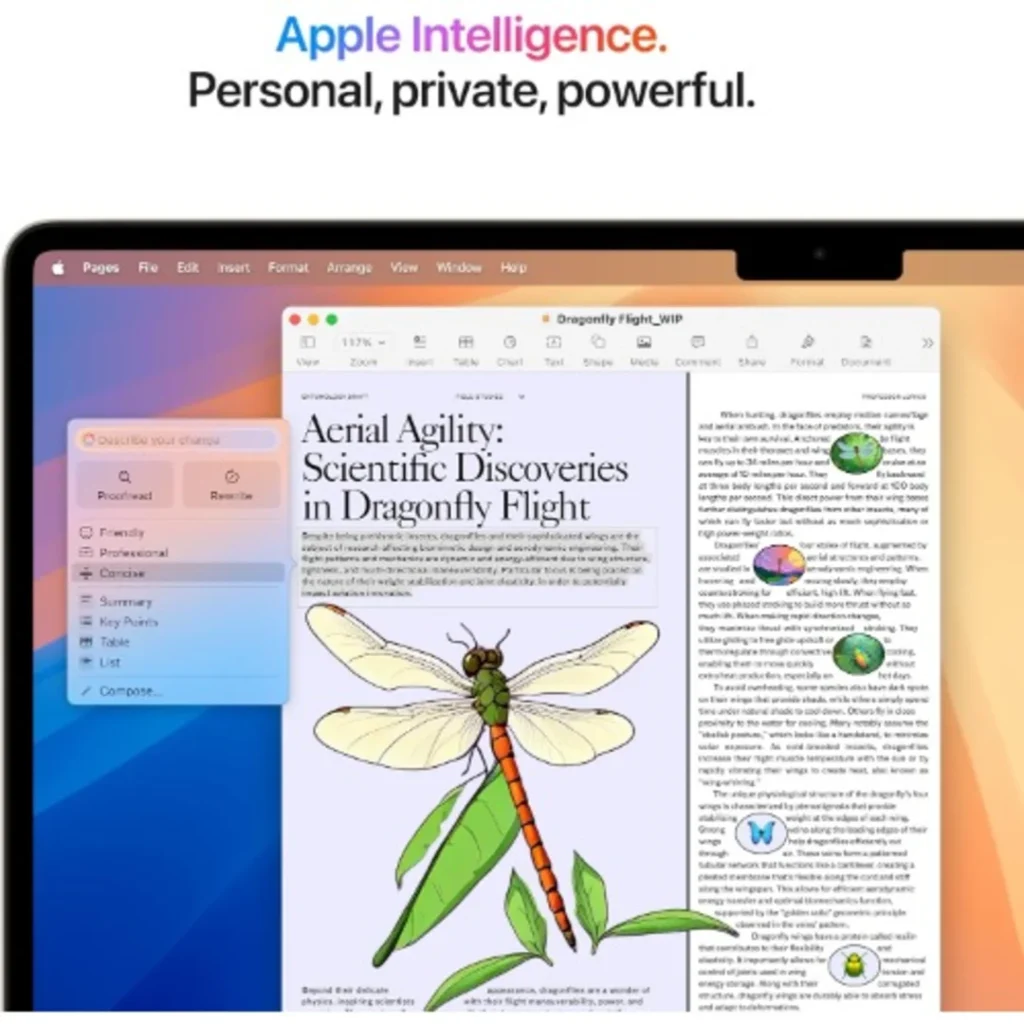

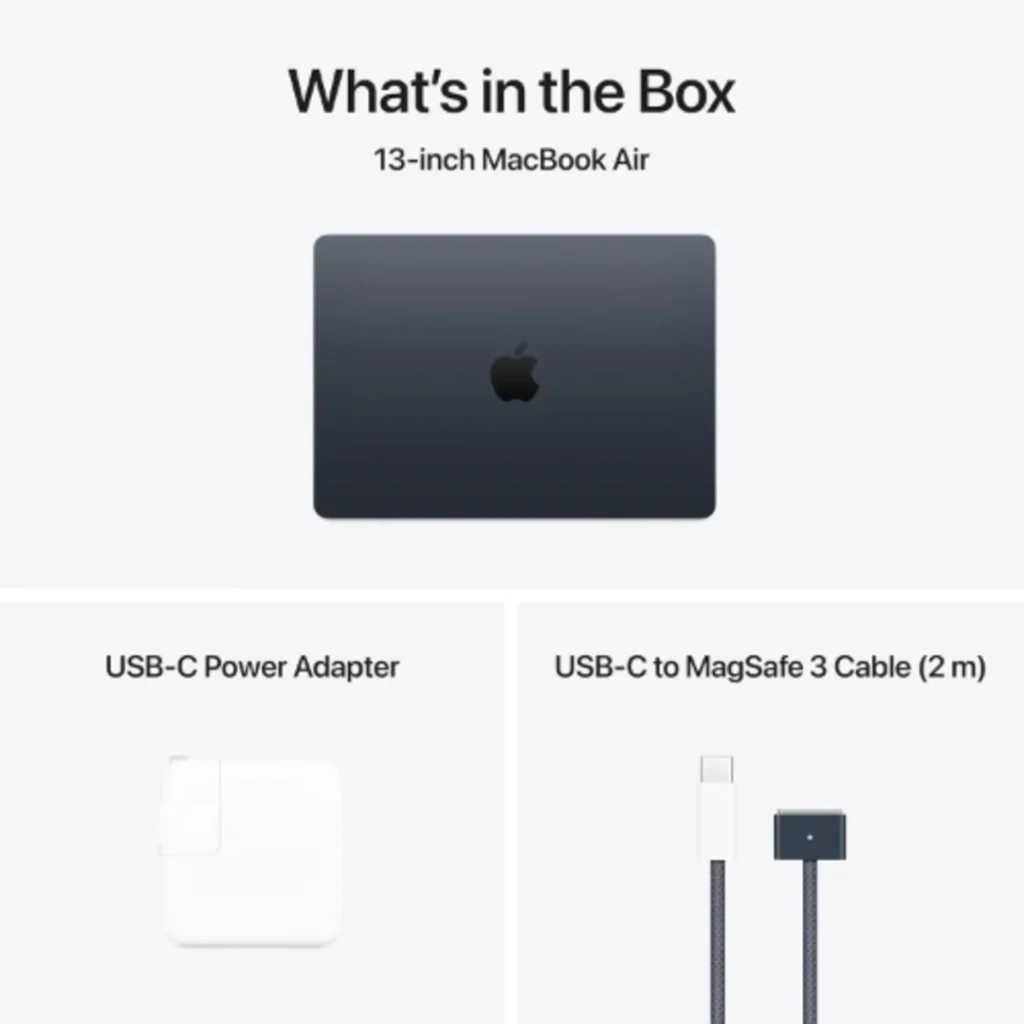
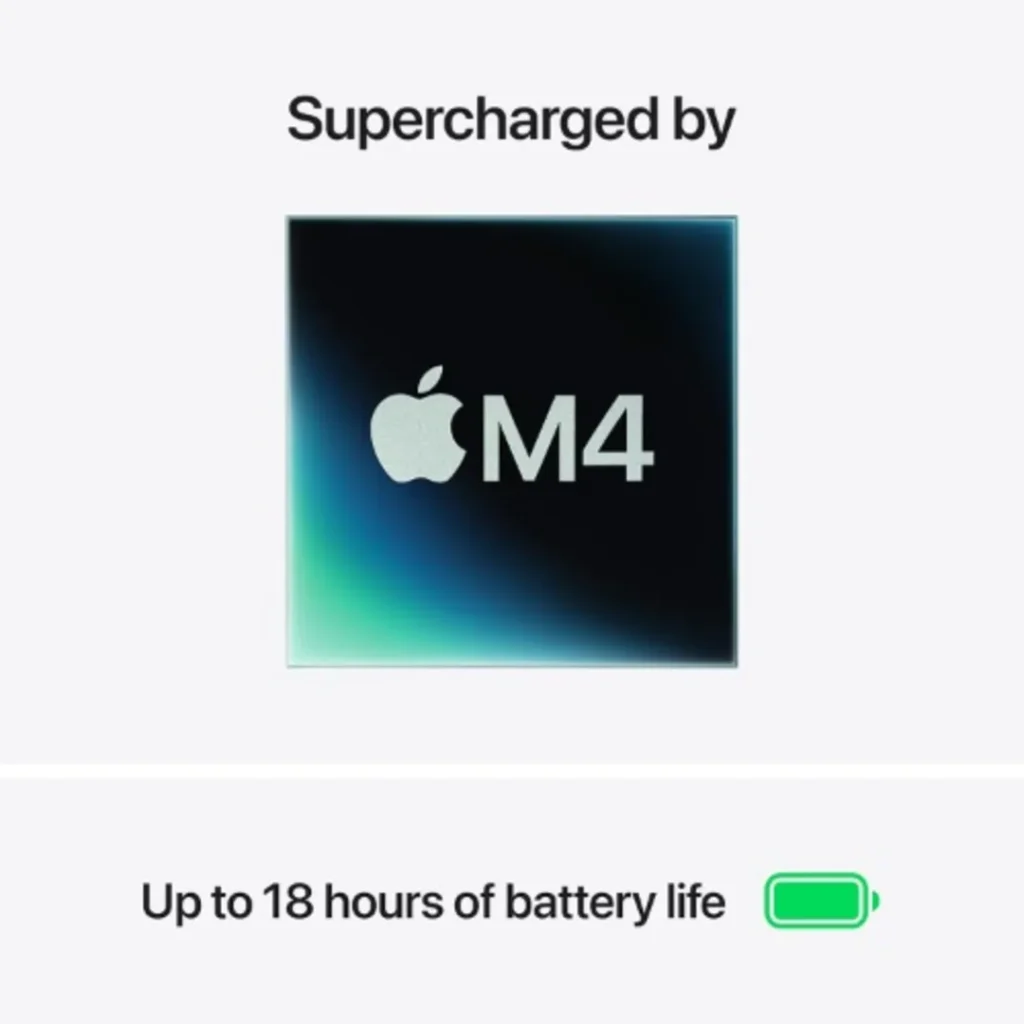
The Apple MacBook Air 15-inch with the M4 chip is an excellent premium option for students who value battery efficiency, portability and a polished software experience.
It combines Apple’s M4 processor with 16GB unified memory and a 15.3-inch Liquid Retina display.
Despite its larger screen, the laptop remains relatively portable at approximately 1.51kg.
Key specifications:
- Processor: Apple M4 chip.
- CPU: 10-core.
- GPU: 10-core.
- Memory: 16GB unified memory.
- Storage: 256GB SSD.
- Display: 15.3-inch Liquid Retina.
- Operating system: macOS.
- Weight: Approximately 1.51kg.
- Battery: Advertised up to 18 hours.
Why students should consider it
The MacBook Air provides an excellent experience for research, assignments, presentations, programming, photography and many creative applications.
Its efficient processor also makes it attractive to students who frequently work away from charging points.
The larger display provides additional room for reading, editing documents and working with multiple windows.
However, the 256GB storage configuration may be limiting if you regularly work with large files. You should also confirm that the applications required by your course support macOS.
Our verdict: A premium choice for students who want a powerful, portable laptop with excellent battery efficiency and a large display.
Best Laptop for Each University Course
Not every course requires the same laptop specifications.
For example, a student studying English does not need the same computing power as someone studying architecture or software engineering.
Here is a practical breakdown.
1. Business Administration, Accounting and Economics
Recommended configuration:
- Processor: Intel Core i5 or AMD Ryzen 5.
- RAM: 8GB minimum; 16GB preferred.
- Storage: 256GB–512GB SSD.
- Graphics: Integrated graphics.
- Display: 14–15.6 inches.
Business students frequently work with spreadsheets, presentations, research documents and productivity applications.
A laptop with 16GB RAM provides more flexibility, particularly when working with large spreadsheets and multiple applications.
Recommended options: Dell Inspiron 3520 or HP EliteBook 845 G8.
2. Computer Science and Software Engineering
Recommended configuration:
- Processor: Recent Intel Core i5/Core 5 or AMD Ryzen 5 and above.
- RAM: 16GB recommended.
- Storage: 512GB SSD.
- Graphics: Integrated graphics are sufficient for many development tasks.
- Operating system: Windows or macOS, depending on course requirements.
Programming students often use development environments, code editors, browsers, databases and local servers.
If you plan to work with Docker, virtual machines, Android Studio or large development projects, 32GB RAM may be beneficial.
Recommended options: Dell Inspiron 14 Plus 7420 or HP EliteBook 845 G8.
3. Engineering and Architecture
Recommended configuration:
- Processor: Performance-focused Intel Core i7 or AMD Ryzen 7 class.
- RAM: 16GB minimum target; 32GB preferred for demanding workloads.
- Storage: 512GB SSD or larger.
- Graphics: Dedicated GPU where required by the software.
- Display: 15.6 inches or larger if preferred for technical work.
Engineering and architecture students may use applications such as AutoCAD, Revit, SolidWorks, MATLAB and other specialised software.
These applications can require significantly more processing and graphics power than ordinary academic tasks.
Before buying, check the hardware requirements of the exact software your department uses.
A MacBook is not automatically suitable for every engineering course because some applications are Windows-only or have different functionality on macOS.
4. Graphic Design and Creative Media
Recommended configuration:
- Processor: Intel Core i5/Core 7 or AMD Ryzen 5/7 class.
- RAM: 16GB minimum target.
- Storage: 512GB SSD or larger.
- Graphics: Dedicated GPU for more demanding creative workflows.
- Display: Full HD or higher, with good colour accuracy.
Students studying graphic design, photography and creative media need a laptop that can handle applications such as Adobe Photoshop, Illustrator, Premiere Pro and other creative tools.
A MacBook Air can handle many creative tasks, while a powerful Windows laptop may be preferable for GPU-intensive workflows.
5. Law, Education, English, and Social Sciences
Recommended configuration:
- Processor: Intel Core i3/i5 or AMD Ryzen 3/5.
- RAM: 8GB minimum; 16GB preferred.
- Storage: 256GB–512GB SSD.
- Graphics: Integrated graphics.
- Display: 13–15.6 inches.
Students in these fields generally need a reliable computer for research, online learning, writing assignments, reading PDF documents and preparing presentations.
You do not need to spend heavily on a gaming laptop or workstation.
A dependable mid-range laptop is usually sufficient.
Recommended options: Dell Inspiron 3520 or HP EliteBook 845 G8.
How Much Should You Spend on a Student Laptop in Nigeria?
Your budget should reflect your academic needs.
Instead of spending as much as possible, focus on getting the right combination of processor, RAM, storage and battery life.
Consider these broad buying categories:
| Budget Category | What to Look For | Suitable Users |
|---|---|---|
| Entry-level | Core i3/Ryzen 3, 8GB RAM, SSD | Basic academic work |
| Mid-range | Core i5/Ryzen 5, 16GB RAM, SSD | Most university students |
| Upper mid-range | Core i7/Ryzen 7, 16GB RAM, SSD | Programming and multitasking |
| Premium | Apple Silicon or high-performance Windows laptop | Creative and professional workloads |
Laptop prices in Nigeria can change because of exchange rates, import costs, stock levels and retailer pricing.
Therefore, check the current listing price before making your purchase.
You can compare available configurations in the Anora Express laptop collection.
MacBook vs Windows Laptop: Which Is Better for Students?
Both platforms offer excellent options for students.
However, the right choice depends on your course and software requirements.
| Feature | MacBook | Windows Laptop |
|---|---|---|
| Battery efficiency | Generally excellent | Varies by model |
| Portability | Excellent | Varies by model |
| Software compatibility | Excellent, but some specialist applications are unavailable | Broad software compatibility |
| Gaming | Limited selection | Better gaming support |
| Hardware options | More limited | Very wide selection |
| Budget flexibility | Mostly premium | Budget to premium |
| Creative applications | Excellent | Excellent |
| Upgradeability | Generally limited | Depends on model |
Choose a MacBook if:
- You prefer macOS.
- You already use Apple devices.
- You value battery efficiency.
- You study creative subjects.
- You work with compatible development tools.
- You want a premium portable laptop.
Choose Windows if:
- You want more laptop options.
- Your budget is limited.
- Your course requires Windows-specific software.
- You want better gaming support.
- You need greater hardware flexibility.
- You prefer more options for future upgrades.
For most students, Windows provides more flexibility across different budgets. However, a MacBook can be an excellent investment when your academic and software requirements support it.
For a more detailed comparison, read our MacBook vs Windows Laptop buying guide.
New vs UK-Used Laptops: Which Should Students Buy?
Another important decision for Nigerian students is whether to purchase a brand-new laptop or a UK-used/refurbished model.
Both options have advantages.
Buying a New Laptop
A brand-new laptop generally offers:
- Unused hardware.
- Manufacturer warranty, where applicable.
- Fresh battery.
- Original components.
- Longer expected remaining service life.
- More predictable hardware condition.
If you have the budget, a new laptop can provide greater peace of mind.
Buying a UK-Used Laptop
UK-used laptops can offer good value, especially when you want a business-class model without paying the price of a new premium laptop.
However, condition varies.
Before purchasing a used laptop, check:
- Battery health and charging performance.
- Screen condition and display quality.
- Keyboard and trackpad functionality.
- SSD health.
- Processor and RAM specifications.
- Charging port and original charger.
- Wi-Fi, Bluetooth and webcam.
- BIOS and firmware security.
- Warranty and return policy.
Do not purchase a laptop simply because the seller advertises it as Core i7.
The processor generation, RAM, storage, battery condition and overall hardware health matter just as much.
Essential Laptop Accessories Every Student Should Consider
Your laptop is the most important purchase, but a few accessories can make studying more convenient.
1. Wireless Mouse
A wireless mouse makes navigation, document editing and productivity tasks more comfortable.
It is particularly useful for students working with spreadsheets, presentations and design applications.
2. Laptop Backpack
A good laptop backpack protects your computer while travelling between your home, hostel and campus.
Choose one with a padded laptop compartment.
3. External SSD
If you work with large projects, videos, photographs or research files, an external SSD can provide additional storage.
It is also useful for backing up important academic work.
4. Laptop Stand
A laptop stand can help improve your desk posture and make extended study sessions more comfortable.
5. Surge Protector or Quality Power Protection
Power fluctuations can affect electronic devices.
A suitable surge protector or quality power backup solution can help protect your study equipment. Choose products with appropriate electrical ratings and protection specifications.
6. Headphones or Earbuds
Headphones are useful for online classes, video lectures, group discussions and studying in noisy environments.
You can explore more useful devices and accessories through Anora Express.
Common Mistakes to Avoid When Buying a Student Laptop
Before making your final decision, avoid these common mistakes.
Buying Based on Processor Name Alone
An older Core i7 is not automatically better than a newer Core i5 or Core 5.
Check the exact processor model and generation.
Choosing 4GB RAM to Save Money
A 4GB laptop may handle very basic activities, but it can struggle with modern multitasking.
For most new purchases, aim for at least 8GB, preferably 16GB.
Ignoring Storage Type
A laptop with a traditional HDD can feel much slower than one with an SSD.
Prioritise SSD storage for your operating system and applications.
Ignoring Battery Health
A used laptop with a weak battery may require an expensive replacement.
Always check battery health before paying.
Buying a Laptop Without Checking Course Requirements
Some academic programmes require specialised software.
A laptop that works well for assignments may not support demanding engineering, architecture or creative applications.
Check your department’s requirements first.
Spending Too Much on Specifications You Do Not Need
A student who mainly writes assignments and browses the internet does not need an expensive gaming laptop.
Spend according to your actual workload.
Where Can You Buy Laptops for Students in Nigeria?
Finding the right laptop is only part of the process. Buying from a reliable retailer is equally important.
Anora Express offers a range of laptops from popular manufacturers, including Apple, HP, Dell and other established brands.
Whether you need a laptop for everyday academic work, programming, business productivity or creative applications, you can explore different configurations to find a suitable option.
When buying, pay attention to:
- Product specifications.
- Stock availability.
- Current selling price.
- Warranty coverage.
- Delivery arrangements.
- Return and after-sales support.
Explore the Anora Express Laptop Computers collection to browse available models.
You can also contact the Anora Express team for assistance with selecting a laptop that matches your course requirements and budget.
1. Which laptop is best for university students in Nigeria?
2. Is 8GB RAM enough for students?
3. Is 16GB RAM better than 8GB for university students?
4. Is a MacBook good for university students?
5. Which is better for students: HP or Dell?
6. Is an SSD necessary for a student laptop?
7. Which laptop is best for computer science students?
8. Can I use a gaming laptop for university?
9. How long should a student laptop last?
10. Should I buy a new or UK-used laptop?
11. What screen size is best for university students?
12. Is a Chromebook good for university?
A Chromebook can work for web-based assignments, browsing, and basic productivity. However, it may not support specialist desktop applications required by some university courses. Check your department’s software requirements before buying one.
Final Verdict: Which Laptop Should You Buy as a Student in Nigeria in 2027?
Choosing the best laptop for students in Nigeria in 2027 does not have to be complicated.
Start by identifying what you need the laptop to do. Consider your course requirements, budget, preferred operating system and how frequently you will carry the computer around campus.
Here is our final recommendation:
- Best for everyday student activities: Dell Inspiron 3520.
- Best for multitasking and university work: HP EliteBook 845 G8.
- Best for programming and productivity: Dell Inspiron 14 Plus 7420.
- Best premium student laptop: Apple MacBook Air 15-inch M4.
For most students, we recommend prioritising a capable processor, 16GB RAM, a 512GB SSD and dependable battery life.
These specifications provide a strong foundation for assignments, research, online learning, productivity and many professional applications.
Most importantly, do not spend money on specifications you do not need. Choose a laptop that supports your academic goals and gives you room to grow.
Ready to find your next student laptop?
Explore the Anora Express laptop collection and find a computer that fits your budget, course and lifestyle.
Your academic journey deserves the right technology.
Finding the best laptops for students in Nigeria requires balancing budget, performance, and durability. To secure the best laptops for students in Nigeria, always prioritize robust build quality and long battery life. Local availability makes sourcing the best laptops for students in Nigeria straightforward, yet identifying the best laptops for students in Nigeria demands careful research. Whether analyzing tech specs or comparing retailers, the best laptops for students in Nigeria must support heavy academic workloads. Ultimately, investing in the best laptops for students in Nigeria ensures seamless multitasking, while selecting the best laptops for students in Nigeria protects your long-term educational investment. Smart buyers seeking the best laptops for students in Nigeria look for reliable warranties, making these top selections the best laptops for students in Nigeria today. Every student deserves access to the best laptops for students in Nigeria to excel. When exploring the best laptops for students in Nigeria, consider how the best laptops for students in Nigeria handle everyday demands. Powerful processors define the best laptops for students in Nigeria, ensuring the best laptops for students in Nigeria never lag during exams. Reliable retailers supply the best laptops for students in Nigeria with full support, positioning these models as the best laptops for students in Nigeria for high-achieving scholars. By choosing the best laptops for students in Nigeria, you gain a massive academic edge. Experience modern productivity using the best laptops for students in Nigeria, because using the best laptops for students in Nigeria simplifies learning. Elevate your studies with the best laptops for students in Nigeria, select among the best laptops for students in Nigeria, and trust the best laptops for students in Nigeria to guarantee academic success across campuses nationwide.
To ensure fast boot times and reliable storage for academic files, learn more about solid-state drive technology and its advantages over traditional hard drives.
Finding the best laptops for students in Nigeria ultimately comes down to balancing your specific academic needs with your budget. While demanding courses like engineering require higher performance, the best laptops for students in Nigeria generally offer a reliable processor, at least 16GB of RAM, and fast SSD storage to handle everyday multitasking. Investing in one of the best laptops for students in Nigeria ensures you won’t suffer from constant system lag during important assignments or exams. Take time to compare your options, prioritize long-term durability, and choose from the best laptops for students in Nigeria to guarantee a seamless academic experience.
To ensure fast boot times and reliable storage for academic files, learn more about solid-state drive technology and its advantages over traditional hard drives.