Buying a laptop in Nigeria in 2026 is no longer simply about choosing between Windows and macOS. There are now laptops designed specifically for students, business professionals, developers, content creators, designers, gamers and everyday users.
However, having so many options can make the buying decision more difficult.
A laptop that is perfect for a university student may not be suitable for a software developer. Likewise, a lightweight laptop that works well for office tasks may not have enough graphics power for gaming or professional video editing.
That is why it is important to look beyond the brand name.
The best laptop for you depends on your budget, workload, portability requirements, battery expectations and the applications you use every day.
In this guide, we explore some of the laptop categories worth considering in Nigeria in 2026, including MacBooks, Windows laptops, business notebooks, creator machines and gaming laptops.
Important: Laptop prices, configurations and availability in Nigeria can change frequently. Always verify the current price, RAM, storage, processor, warranty and stock status before buying.
Best Laptops in Nigeria in 2026 at a Glance
| Laptop category | Suitable for | What to prioritize |
|---|---|---|
| Entry-level laptop | Basic schoolwork and everyday use | SSD, 8GB–16GB RAM, modern processor |
| Student laptop | University, research and productivity | Battery life, portability, keyboard, 16GB RAM |
| Business laptop | Office work and professionals | Build quality, security, battery life |
| Developer laptop | Programming and development | CPU, RAM, SSD, Linux/Windows/macOS compatibility |
| Creator laptop | Video, photo and graphic design | CPU/GPU, display, RAM, colour accuracy |
| Premium laptop | Professionals and power users | Performance, display, build quality |
| Gaming laptop | Gaming and demanding graphics | Dedicated GPU, cooling, display, CPU |
| MacBook | Students, creators and professionals | Apple silicon, RAM, storage and macOS compatibility |
What Makes a Good Laptop in Nigeria?
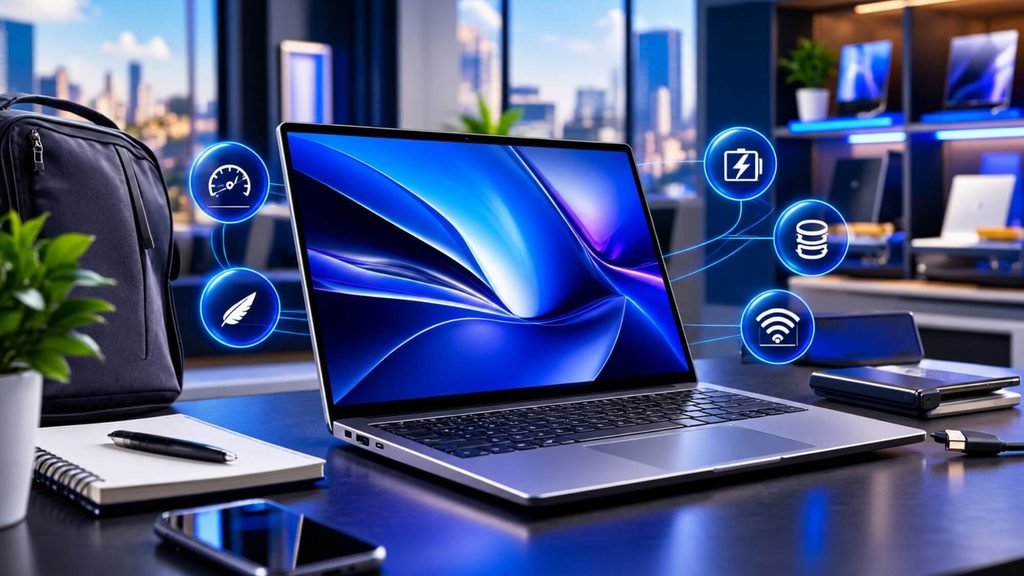
Before choosing a specific model, understand the specifications that matter.
A laptop’s processor, memory, storage, display, battery and graphics hardware all contribute to the overall experience.
You should also consider the laptop’s warranty, availability of accessories, repair options and suitability for the software you use.
Processor
The processor is one of the most important components in a laptop.
Current laptops use processors from companies such as Intel, AMD, Apple and Qualcomm.
For basic tasks such as browsing, Microsoft Office, online classes and document editing, you do not necessarily need a high-end processor.
However, developers, creators and professionals working with demanding applications should consider a more powerful CPU.
Look for modern processor families such as:
- Intel Core and Core Ultra
- AMD Ryzen and Ryzen AI
- Apple M-series
- Qualcomm Snapdragon X-series
Do not judge performance purely from the processor name. The exact generation, core configuration, cooling system and power limits can make a significant difference.
How Much RAM Do You Need?
RAM determines how comfortably your laptop can handle multiple applications and browser tabs at the same time.
For a new laptop in 2026, 8GB should generally be considered an entry point rather than the target for a long-term purchase.
For most users, 16GB provides a more comfortable starting point.
Recommended RAM by user
8GB
Suitable for:
- Basic browsing
- Microsoft Word
- Online classes
- Light productivity
16GB
Suitable for:
- University work
- Business applications
- Programming
- Multitasking
- Content creation
- General professional use
32GB
Suitable for:
- Advanced software development
- Video editing
- Virtual machines
- Large creative projects
- Engineering applications
- Heavy multitasking
64GB or more
Usually reserved for demanding professional workloads such as advanced video production, 3D work, large development environments, AI workloads and workstation applications.
SSD Storage Is Essential
If you’re buying a laptop in 2026, an SSD should be a priority.
Solid-state storage provides faster startup times and generally makes the system feel much more responsive than traditional mechanical hard drives.
For most buyers, 512GB is a sensible starting point.
A 256GB SSD can work for basic users, but storage can become restrictive once you install applications and start storing photos, videos and documents.
For creators and professionals, 1TB or more may be appropriate.
Best Laptops for Students in Nigeria
Students often need a laptop that balances price, portability, battery life and performance.
You may use your laptop for lectures, research, presentations, programming, online classes, video calls and entertainment.
You therefore do not necessarily need a gaming laptop or workstation.
A good student laptop should ideally have:
- 16GB RAM
- 512GB SSD
- A modern processor
- Good battery life
- A comfortable keyboard
- A good-quality display
- Reliable Wi-Fi
- USB-C connectivity
- Reasonable weight
MacBook Air
The MacBook Air remains an important option for students who prefer macOS.
Apple’s current Nigerian MacBook Air lineup includes 13-inch and 15-inch models powered by the M5 chip. Apple lists configurations with 16GB to 32GB unified memory and 512GB to 4TB storage, while battery life is rated at up to 18 hours under Apple’s testing conditions.
Its fanless design, portability and battery life make the MacBook Air suitable for students who want a lightweight computer for writing, research, programming, presentations and general productivity.
However, students should check whether the software required for their course runs natively on macOS.
This is particularly important for engineering, architecture and specialized Windows applications.
HP OmniBook
HP’s current OmniBook range also gives students several Windows options.
The company positions its OmniBook 3 series toward everyday users and students, while the OmniBook 5 and OmniBook X families provide higher performance and more premium features.
For example, HP’s Nigerian market currently lists OmniBook models with 16GB RAM and SSD storage, including configurations designed around everyday productivity.
Best Laptops for Professionals in Nigeria
Professionals often need reliability more than raw performance.
If you spend most of your day working with Microsoft Office, spreadsheets, browser applications, accounting software, communication tools and business platforms, you should prioritize:
- Comfortable keyboard
- Good display
- Strong battery life
- 16GB RAM
- 512GB SSD
- Good webcam
- Reliable connectivity
- Durable construction
Business laptops
Business-oriented laptops from Lenovo, HP and Dell are popular choices because they typically focus on durability, keyboards, security and professional features.
The Dell XPS 13, for example, is positioned as an ultra-thin premium Windows laptop. Current 2026 configurations include a 13.4-inch 2.5K display and modern Intel Core processors.
HP’s OmniBook range also covers professional users, with higher-end OmniBook 7 and Ultra models designed around more demanding productivity and professional workloads.
Best Laptops for Programmers and Developers
Developers have different requirements from typical laptop buyers.
If you work with JavaScript, TypeScript, Python, Java, PHP, C#, C/C++, Docker, Kubernetes or cloud development tools, RAM and processor performance become particularly important.
A developer laptop should ideally have:
- 16GB RAM or more
- 512GB SSD or more
- Modern multi-core processor
- High-quality keyboard
- Good display
- Strong battery life
- USB-C
- Reliable Wi-Fi
- Support for your preferred operating system
MacBook Air for development
The M5 MacBook Air is an option for developers who are comfortable with macOS.
Apple specifically highlights coding and AI workloads on the current MacBook Air, including Python coding and web application responsiveness.
The 13-inch and 15-inch models offer the same basic M5 platform, allowing buyers to choose between greater portability and a larger workspace.
MacBook Pro for demanding development
For heavier development workloads, the MacBook Pro moves into a different performance category.
Apple’s current MacBook Pro lineup includes M5, M5 Pro and M5 Max configurations, with up to 128GB of unified memory and up to 8TB of storage. Apple also lists up to 24 hours of battery life depending on configuration and workload.
Developers working with virtual machines, containers, large projects or intensive local workloads may benefit from the additional memory and processing capability.
Windows laptops for developers
Windows remains an important option for developers who work with Microsoft’s development ecosystem or need software that is unavailable on macOS.
Dell, HP and Lenovo all offer Windows laptops across different performance levels.
For development, however, do not buy solely based on brand. Check the exact CPU, RAM, SSD and operating-system compatibility.
Best Laptops for Content Creators
Video editors, photographers, graphic designers and other creators need more than a fast processor.
The display is equally important.
When choosing a laptop for creative work, look for:
- High-resolution display
- Good colour accuracy
- Strong brightness
- 16GB or more RAM
- Fast SSD
- Powerful CPU
- Dedicated GPU for demanding workloads
- Good port selection
MacBook Pro
The MacBook Pro is designed for demanding creative workflows.
Apple’s current 14-inch and 16-inch MacBook Pro models can be configured with M5 Pro and M5 Max processors, alongside large amounts of unified memory and storage.
The Liquid Retina XDR display is also designed for professional visual work.
This makes the MacBook Pro particularly relevant to users working with applications such as Final Cut Pro, Adobe Premiere Pro, Photoshop and other professional creative software.
HP OmniBook Ultra
HP’s OmniBook Ultra range targets creative and technical professionals.
HP lists configurations with processors including AMD Ryzen AI 9, Intel Core Ultra X9 and Snapdragon X2 Elite, with up to 64GB memory and up to 2TB storage. Selected models can also feature 3K OLED displays.
For Windows-based creators, this provides another category worth considering.
Best Gaming Laptops in Nigeria
Gaming laptops are different from ordinary laptops.
Games depend heavily on graphics processing, so a dedicated GPU is often more important than simply buying the laptop with the highest CPU specification.
A gaming laptop should ideally have:
- Dedicated NVIDIA or AMD graphics
- Modern multi-core CPU
- 16GB RAM or more
- 512GB or 1TB SSD
- High-refresh-rate display
- Effective cooling
- Good keyboard
- Sufficient USB connectivity
ASUS ROG Zephyrus G16
The 2026 ASUS ROG Zephyrus G16 is an example of a premium gaming and creator laptop.
ASUS lists configurations with up to an NVIDIA GeForce RTX 5090 Laptop GPU and Intel Core Ultra 9 386H processor. The laptop can also feature a 2.5K OLED display with a 240Hz refresh rate and 1100-nit peak brightness.
It is also designed to remain relatively portable, with ASUS listing a 1.49cm chassis and 1.85kg weight for the specified configuration.
What about cheaper gaming laptops?
You do not need an RTX 5090 laptop to play PC games.
Depending on your budget, GPUs such as the RTX 4050, RTX 4060, RTX 4070 and newer equivalents can provide different levels of gaming performance.
The key is to balance the GPU with the laptop’s processor, cooling system, display and price.
MacBook vs Windows Laptop: Which Should You Choose?
This is one of the biggest decisions when buying a laptop.
Both platforms can handle everyday productivity, professional work and creative applications. However, they differ in software compatibility, hardware choices and ecosystem integration.
Choose a MacBook if:
- You prefer macOS
- You already use Apple devices
- Battery life is important
- You want Apple silicon
- You work with creative applications supported by macOS
- You value a quiet and portable laptop
Consider Windows if:
- You need Windows-only software
- You want a wider range of hardware choices
- Gaming is important
- You need specific business applications
- You want more options across different price points
- You need specialized ports or hardware configurations
The best operating system is ultimately the one that supports the applications and workflow you depend on.
How Much Should You Spend on a Laptop in Nigeria?
Laptop prices in Nigeria vary considerably.
Exchange rates, import costs, availability, configuration and retailer pricing can all affect the final price.
Instead of setting an exact price threshold that may quickly become outdated, think about your budget in relation to your workload.
Entry-level laptops
These are suitable for:
- Basic browsing
- Word processing
- Online classes
- Emails
- Light entertainment
Prioritize an SSD and enough RAM rather than buying an older laptop with a more impressive-sounding processor.
Midrange laptops
This category is suitable for:
- Students
- Professionals
- Developers
- Small business owners
- Freelancers
- General multitasking
A modern processor, 16GB RAM and 512GB SSD make a strong combination for many users.
Premium laptops
Premium laptops are designed for users who want:
- Better displays
- More powerful processors
- Better build quality
- Longer battery life
- More memory
- Faster storage
- Advanced connectivity
This category includes MacBook Pro, premium Dell, HP, Lenovo and other high-end Windows laptops.
Gaming and workstation laptops
These laptops typically cost more because they include dedicated graphics hardware and more powerful cooling systems.
They are appropriate for:
- Gaming
- 3D rendering
- CAD
- Video production
- Architecture
- Engineering
- AI workloads
- Professional graphics applications
Laptop Specifications to Look for in 2026
If you are buying a laptop today, the following baseline can help.
For basic use
- 8GB RAM minimum
- 256GB SSD minimum
- Modern Intel, AMD, Apple or Qualcomm processor
- Full HD-class display
For students and professionals
- 16GB RAM
- 512GB SSD
- Modern midrange processor
- Good battery life
- 13–16-inch display
For developers
- 16GB RAM minimum
- 512GB SSD
- 1TB preferred for larger projects
- Modern multi-core processor
- Good keyboard
- Strong connectivity
For creators
- 16GB–32GB RAM
- 1TB SSD where possible
- High-quality display
- Strong CPU
- Dedicated GPU for demanding workloads
For gaming
- 16GB RAM
- 512GB–1TB SSD
- Dedicated GPU
- High-refresh-rate display
- Strong cooling
Common Laptop Buying Mistakes to Avoid
A laptop can look impressive on paper and still be a poor purchase.
Here are some mistakes worth avoiding.
1. Buying based only on the processor
A powerful processor does not compensate for poor RAM, slow storage, a weak display or inadequate cooling.
Look at the complete configuration.
2. Buying too little RAM
If you plan to keep your laptop for several years, 16GB can provide a more comfortable experience than an 8GB configuration.
3. Choosing storage capacity over speed
A large hard drive is not automatically better than a smaller SSD.
For modern laptops, SSD storage should be a priority.
4. Ignoring the display
If you spend eight hours a day looking at your laptop, the screen matters.
Check resolution, brightness, refresh rate, colour coverage and panel technology.
5. Buying a gaming laptop for office work
Gaming laptops can provide excellent performance, but they are often heavier and can have shorter battery life than thin-and-light machines.
If you mainly use Microsoft Office, browsers and business applications, a business or productivity laptop may make more sense.
6. Buying an extremely cheap old laptop
A discounted older laptop may look attractive because of its price.
However, check the processor generation, battery condition, storage type, RAM and Windows compatibility before buying.
7. Ignoring warranty
A laptop is a significant investment.
Make sure you understand whether your laptop comes with an official warranty, retailer warranty or no warranty.
What Laptop Is Right for You?
Use your daily workload as the starting point.
If you are a student
Look for:
16GB RAM + 512GB SSD + good battery life + lightweight design
If you work in an office
Look for:
16GB RAM + 512GB SSD + comfortable keyboard + reliable battery
If you are a developer
Look for:
16GB–32GB RAM + 512GB–1TB SSD + modern multi-core processor
If you are a content creator
Look for:
32GB RAM where appropriate + 1TB SSD + high-quality display + strong GPU
If you are a gamer
Look for:
16GB+ RAM + dedicated GPU + high-refresh display + strong cooling
If you travel frequently
Look for:
Lightweight design + strong battery life + USB-C charging + durable construction
Final Thoughts
The best laptop in Nigeria in 2026 depends on what you need it to do.
A university student may need a lightweight laptop with strong battery life. A business professional may prioritize reliability and portability. A developer may need more RAM and processing power. A content creator may require a high-quality display and dedicated graphics. Meanwhile, gamers typically need a dedicated GPU and effective cooling.
Current options range from Apple’s M5 MacBook Air and MacBook Pro to Windows laptops from HP, Dell, Lenovo, ASUS and other manufacturers. Apple’s Nigerian lineup currently includes the M5 MacBook Air and M5/M5 Pro/M5 Max MacBook Pro, while HP’s Nigerian range spans OmniBook models for everyday users through higher-performance professional machines.
The most important thing is to match the laptop to your workload.
Do not spend extra money on performance you will never use. At the same time, avoid buying a laptop that is already struggling to meet your requirements on the day you purchase it.
Before ordering, always verify the current Nigerian price, exact processor, RAM, storage, display configuration, warranty and stock availability.
At Anora Express, you can explore laptops and other electronics available for Nigerian buyers and compare your options before making a purchase.
Finding the best laptop in Nigeria requires balancing your budget with your workload. The best laptop in Nigeria for a student won’t be the best laptop in Nigeria for a developer. To secure the best laptop in Nigeria, prioritize RAM and SSD storage over brand names. Whether you want the best laptop in Nigeria for business or the best laptop in Nigeria for gaming, check local warranty support. The best laptop in Nigeria is one that handles your daily software without lagging. Don’t just buy the cheapest option; the best laptop in Nigeria must be durable. For creators, the best laptop in Nigeria needs a color-accurate screen, while the best laptop in Nigeria for writers needs a great keyboard. If portability matters, the best laptop in Nigeria should be lightweight with long battery life. Ultimately, the best laptop in Nigeria is a personal choice. Researching local prices helps you find the best laptop in Nigeria for your budget. Compare specifications to ensure your choice remains the best laptop in Nigeria for years to come. Your investment in the best laptop in Nigeria will pay off through increased productivity, making the best laptop in Nigeria a crucial tool for your success.
To understand how this technology improves performance over traditional hard drives, you can read more about solid-state storage and its development.